Kaizen PPM
Kaizen PPM is a project and portfolio management (PPM) application built natively on Microsoft Power Platform and Dataverse. It takes work from idea to proposal, project and portfolio, and all data stays inside your own Microsoft 365 tenant.
Take work from idea to proposal, project and portfolio in one Power Platform app. It includes the interactive views PMs expect, the governance PMOs need, and AI that explains instead of guessing.
- Data
- Stays in your own Microsoft 365 tenant
- Scope
- 10 capability areas, idea to close
- Platform
- Dataverse security, Power BI, Teams
What does Kaizen PPM include?
Portfolios & programs
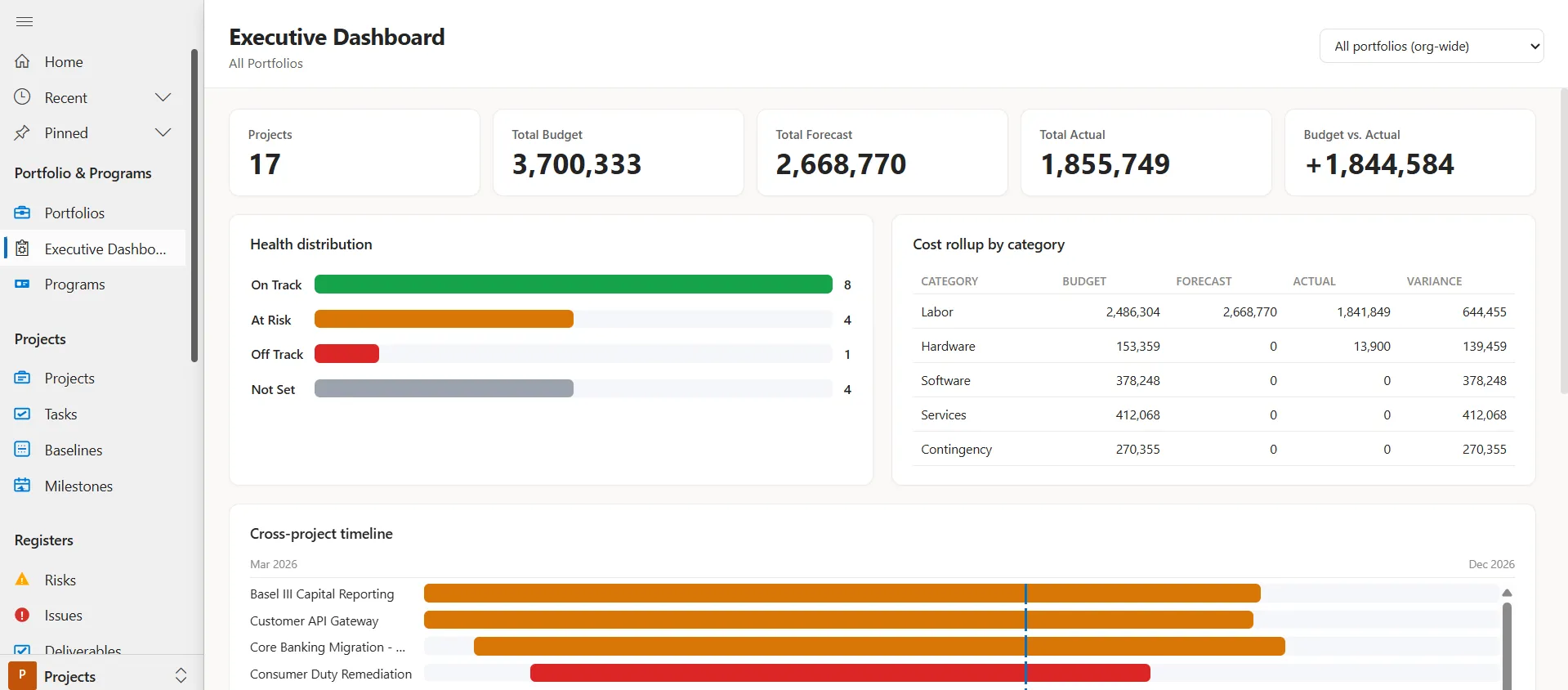
Group related projects and roll up health, cost and risk for oversight.
Demand & idea intake
Capture ideas, cost them as proposals and approve the right work before it starts.
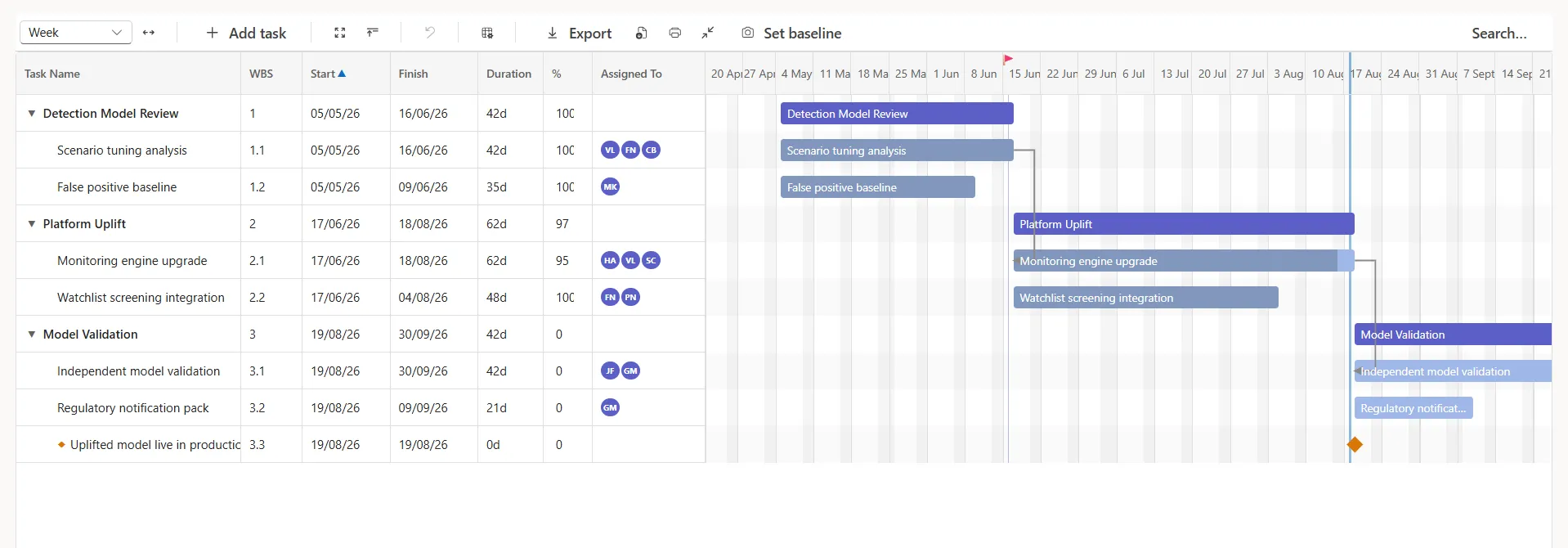
Interactive scheduling
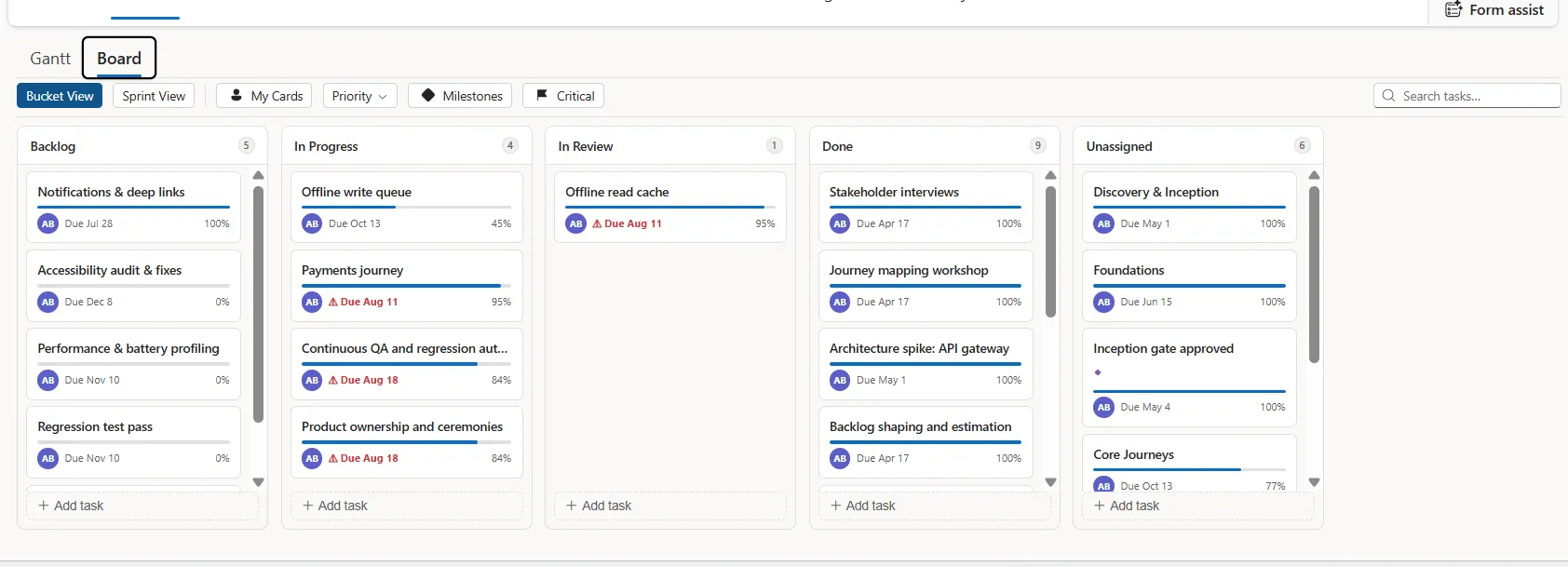
A Gantt chart with WBS, dependencies, baselines and drag-to-reschedule, plus a Kanban board.
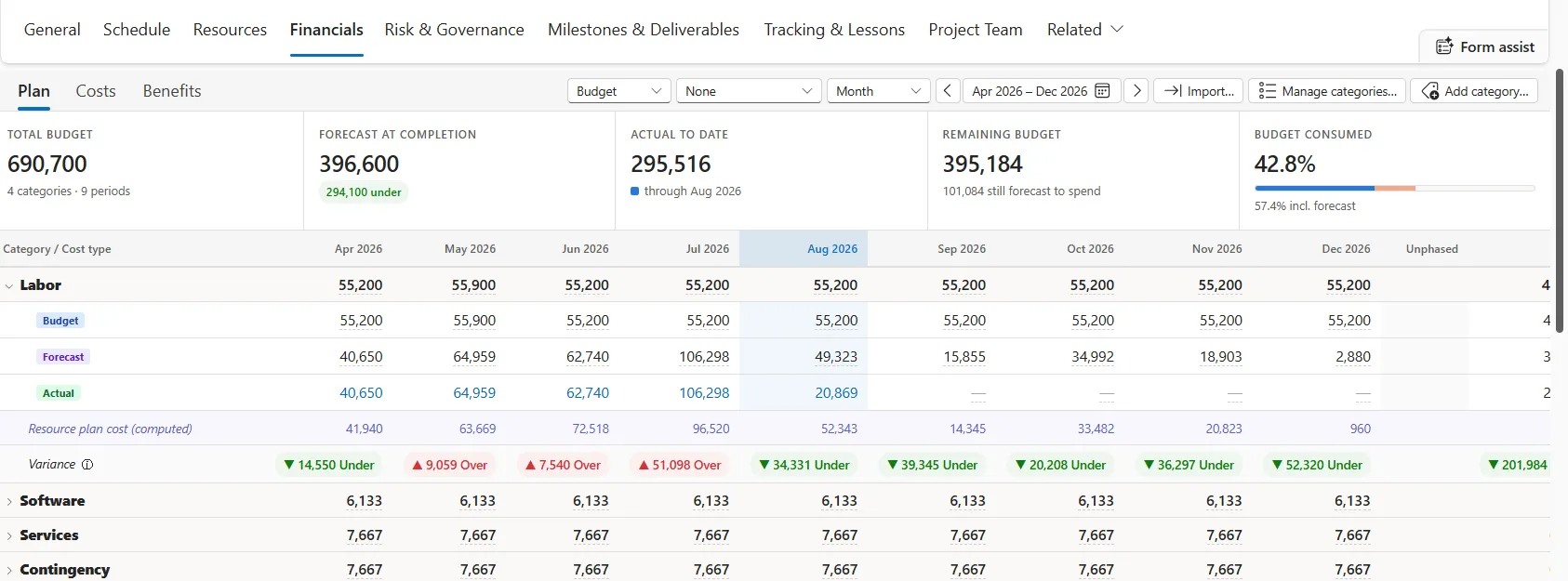
Financial management
Budget, forecast and actuals by period, including labour cost from resource rates.
Resource management
Resource requests, capacity heatmaps, bookings and weekly timesheets.
Risk & issues
Drag-and-drop 5×5 risk matrix, issue tracking and mitigation to closure.
Governance registers
Change requests, decisions, deliverables, stakeholders and lessons learned.
Status reporting
Periodic RAG health reports per project, rolled up to an executive dashboard.
Agile delivery
Buckets, sprints and labels for teams that work iteratively.
Data migration
Built to receive data from Project Online, MS Project, Project for the Web and Planner.
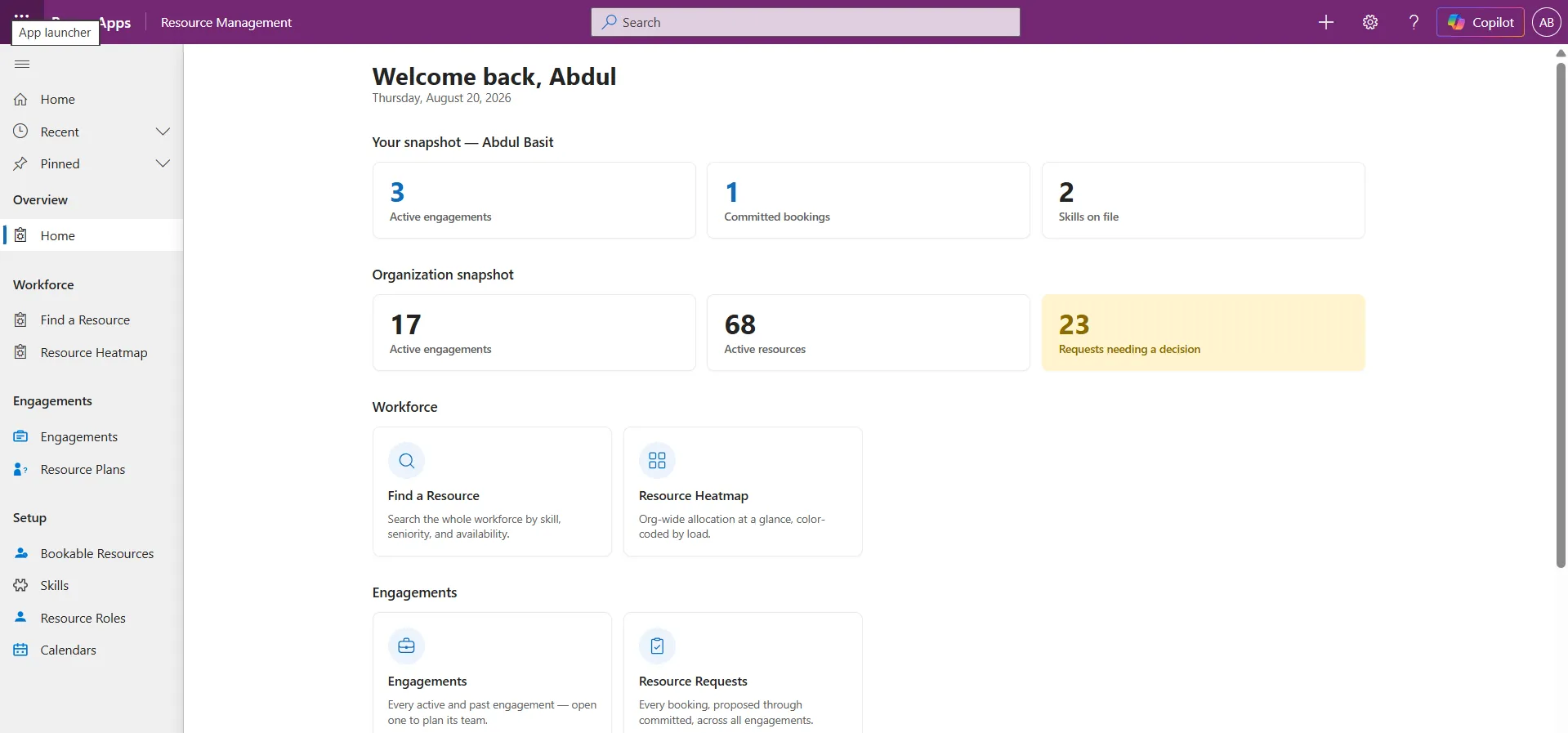
A closer look
Real screens from the product: dashboards, boards, financials and resourcing.
Want the full tour?Request a demo →
How does Kaizen PPM use AI?
AI helps you get data in and answers out, and explains the numbers. It never quietly sets a project’s health or makes the call for you. Four rungs, and AI stops before the last one.
Capture
You, assisted by AI
Create tasks, risks and status updates from plain language, so there is less typing.
Surface
You ask, AI retrieves
“Which of my projects are over budget?” is answered in plain English, security-trimmed to you.
Interpret
AI explains, never sets
Health and slippage are calculated by rules. AI explains them and cites the records behind them.
Decide
Always a human
AI can propose and rank options. A person approves before anything is committed.
AI features are rolling out in waves. Each is security-trimmed to the user, labelled when AI-assisted, and can be switched off per environment.
Bring your history with you, without restructuring later.
Leaving Project Online or Planner?
Every record in Kaizen PPM can carry its source-system lineage: where it came from, its original ID and when it last synced. Bringing your history across does not mean restructuring later.
Kaizen PPM: common questions
What is Kaizen PPM?
Kaizen PPM is a project and portfolio management application built on Microsoft Power Platform and Dataverse. It covers idea intake, proposals, projects, programs and portfolios, with scheduling, financials, resources, risks and status reporting.
Is Kaizen PPM an alternative to Microsoft Project Online?
Yes. Kaizen PPM was designed to receive organisations moving off Project Online, Project for the Web, Planner and desktop MS Project. Every migratable record keeps its source-system lineage, and schedules can be imported from and exported to MS Project XML.
Where is our project data stored?
In your own Microsoft Dataverse environment, inside your Microsoft 365 tenant. Kaizen PPM uses standard Dataverse security, so your existing security roles, business units and auditing apply.
What licences do users need?
Kaizen PPM is a model-driven Power App, so each user needs a Power Apps premium or Dynamics 365 licence that includes Dataverse. Contact us for Kaizen PPM product pricing.
Does Kaizen PPM work with Copilot and Cowork?
Copilot and Cowork capabilities are being added in waves. AI helps capture data, answer questions and explain calculated health and slippage. It never sets a project’s status or makes decisions on its own, and every AI feature can be switched off.
See it on your own projects.
Book a walkthrough. We can load a sample of your real project data so you see how it fits.